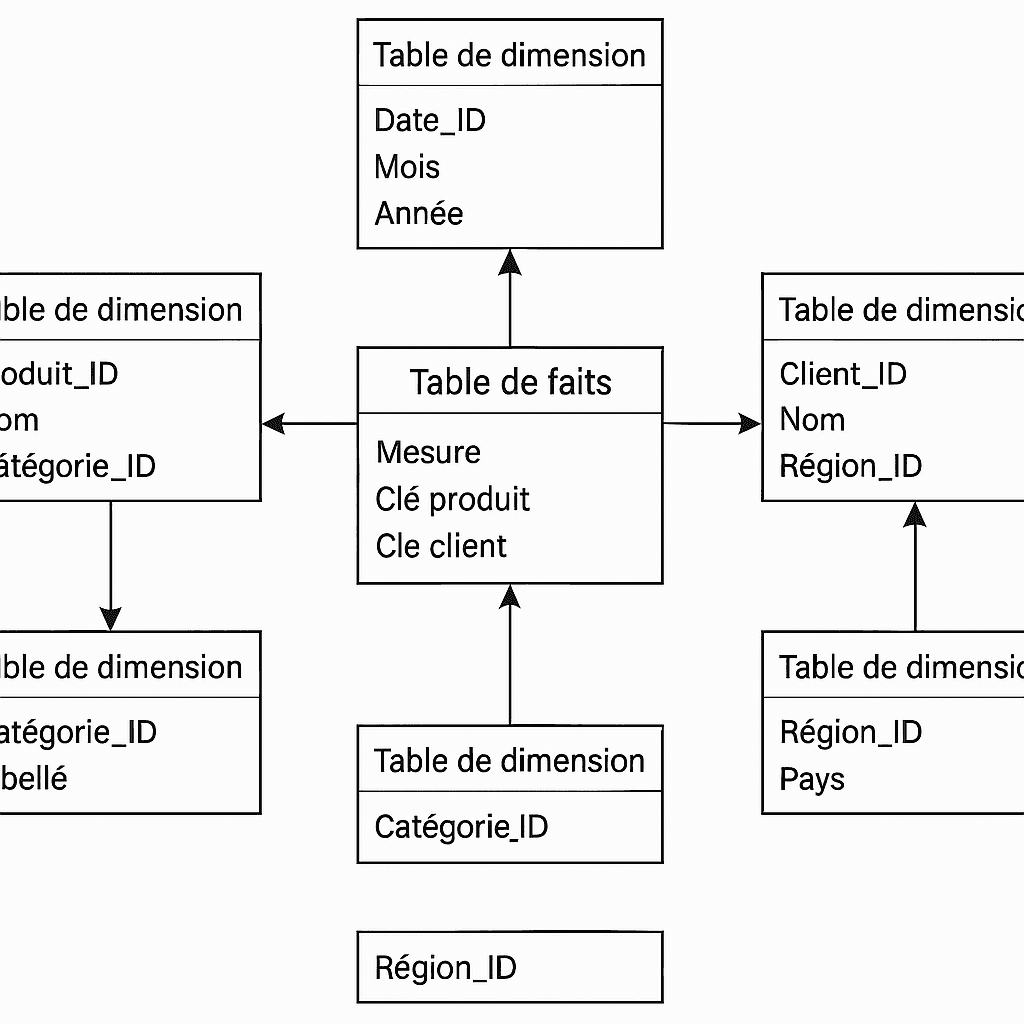
Data Modeling: Name Your Tables Simply and Effectively
Discover 10 table naming methods to properly structure your data models. From simple prefixes to temporal indicators, find the convention that suits you!

Good table naming is essential for creating readable, maintainable data models that are understandable by the entire team. Discover 10 naming methods to effectively structure your models.
Why Naming Matters
Consistent naming allows you to:
- Quickly understand each table's role
- Facilitate maintenance of the model over time
- Improve collaboration between teams
- Reduce errors when creating DAX measures
A good table name should be self-descriptive: you should understand its content without having to open it.
10 Table Naming Methods
1. Type Prefix (Fact/Dim)
The classic star schema method:
Fact_Sales
Fact_Orders
Dim_Customers
Dim_Products
Dim_Time
Advantage: Immediate identification of table type
2. Source Prefix
Identify data origin:
SAP_Transactions
CRM_Customers
Excel_Budget
API_Exchange_Rates
Advantage: Data traceability
3. Business Domain Prefix
Organize by function:
FIN_Balance
FIN_Budget
HR_Employees
SALES_Revenue
Advantage: Logical business grouping
4. Temporal Suffix
Indicate time granularity:
Sales_Daily
Sales_Monthly
Sales_Yearly
Budget_Quarterly
Advantage: Clarity on granularity
5. CamelCase Without Prefix
Minimalist and modern style:
Customers
Products
OrderDetails
MonthlySales
Advantage: Simplicity and readability
6. Snake_Case
Popular style in Data Engineering:
fact_sales
dim_customers
bridge_customer_product
staging_raw_data
Advantage: Compatible with SQL and Python
7. Layer Prefix (Bronze/Silver/Gold)
Databricks Medallion architecture:
Bronze_RawSales
Silver_CleanedSales
Gold_AggregatedSales
Advantage: Indicates transformation level
8. Environment Prefix
For multi-environment models:
DEV_Sales
TEST_Sales
PROD_Sales
Advantage: Avoids confusion between environments
9. Update Frequency Indication
Sales_RT (Real-Time)
Sales_Daily
Sales_Monthly
Reference_Static
Advantage: Clarity on data freshness
10. Custom Hybrid
Combine multiple conventions:
FIN_Fact_Sales_Daily
FIN_Dim_Cost_Centers
HR_Fact_Absences_Monthly
Advantage: Maximum information in the name
General Best Practices
Do
- ✅ Use singular names (Customer, not Customers)
- ✅ Avoid spaces (use _ or CamelCase)
- ✅ Be consistent throughout the model
- ✅ Use understandable business names
- ✅ Document your naming convention
Don't
- ❌ Names that are too long (> 30 characters)
- ❌ Obscure abbreviations
- ❌ Special characters (accents, symbols)
- ❌ Mixing languages
- ❌ Generic names (Table1, Data, etc.)
Warning: Once your convention is chosen, apply it rigorously. A model with mixed conventions is worse than a model without any convention.
Documentation Example
Create a reference document for your team:
| Prefix | Meaning | Example | |--------|---------|---------| | Fact_ | Fact table | Fact_Sales | | Dim_ | Dimension table | Dim_Customer | | Bridge_ | Bridge table | Bridge_Customer_Product | | Calc_ | Calculated table | Calc_Monthly_KPIs | | Param_ | Parameter table | Param_Date_Filters |
Conclusion
Table naming is an investment that pays off in the long run. Choose a convention suited to your context, document it, and apply it systematically.
A well-named model is a model that's easy to maintain and evolve.
Need help structuring your data model? Book a free diagnostic
Newsletter
1 email per month, no spam
Receive my latest articles on Power BI, automation and data directly in your inbox.
Related articles